


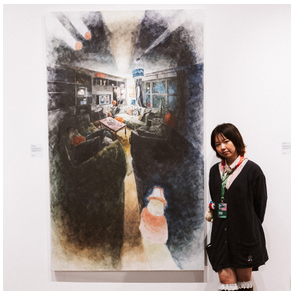
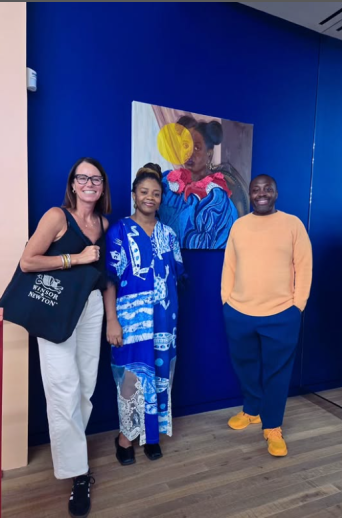
The artist Nohana Sayama visited the London Hub for a Winsor ...

New Starter Announcement: Wei-Luok Kim

UK Marketing Team Restructuring

High-Five Highlights from Last Week
High-Five Highlights from Last Week

New Starter Announcement: Helen Losq

Exciting Intranet Enhancements coming this December
Business Update: Strategic Changes to Strengthen Tianjin Oper...

The Wall
-

Jimmy Leslie posted an update in the group
 The Wall 3 years, 2 months ago
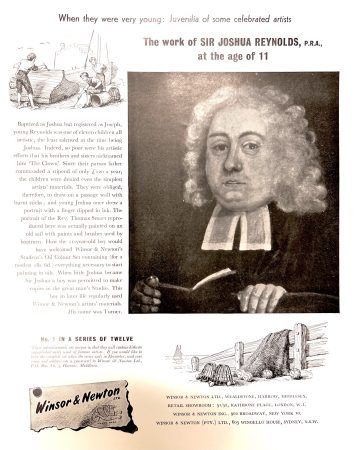
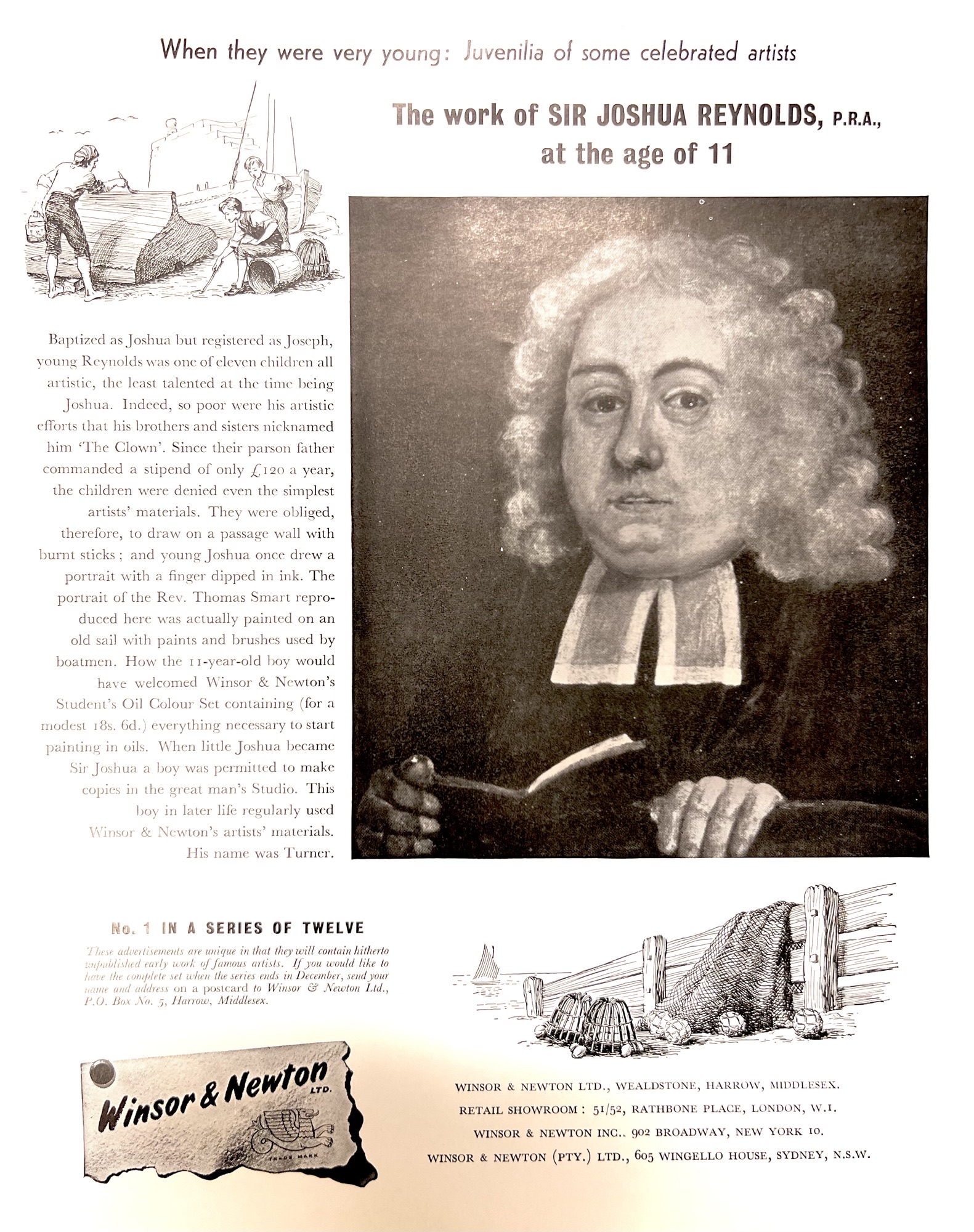
Flashback Friday to 1955 advertisements when Winsor & Newton showcased examples of work by famous artists when they were young. What a fun idea!
-
Andy Glinos posted an update in the group
The Wall 3 years, 2 months agoAnybody remember the below WN Millennium chest (I am far too young:)) – it found a home in Australia but now needs a new home, anybody remember it or interested in it? Pasted in the email below
W&N Millennium Chest, fitted out with Artist Water Colours etc.I believe the cabinet is made of mahogany.It is in “brand new” condition and is #36/145.You may not be aware, but at the time of ordering, you could nominate which one you wanted.I asked for #1 and was promptly told that was reserved for the then Prince Charles.What nerve !!!!!!!It also comes with a 22 1/2 pan silver plated metal box, fitted with artist quality. This is numbered #36/600. Once again, in “brand new” condition.I had offered both to our State Museum as a gesture of the states support of JDS, but there was so much “red tape” and no guarantee that either would go on display.Thinking out loud, I am wondering if W&N know of any interested parties as I believe these are now Collectors Items and I would like them to go to a good home.
-

Anton Vergier posted an update in the group
The Wall 3 years, 2 months agoTechnology tip + status update for B2B NA
Dear Colleagues,
I have been assigned today to share some knowledge with all of you, representing the development team (within the technology team).
Here is a technology tip for the day! (Also taking advantage to provide a status update for B2B North America portal)
Have you ever asked yourself how to take a screenshot from your computer screen and send it to a colleague in a quick and easy process?
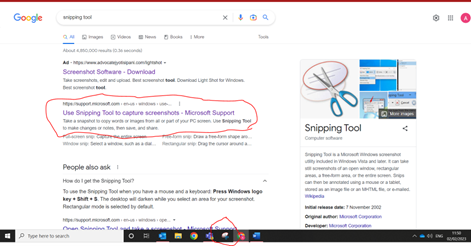
The computer tool for this is called “Snipping tool”.
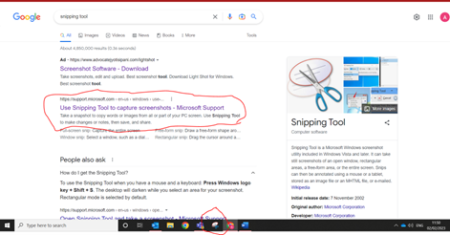
There are several ways to attain this tool with either searching on google “Snipping tool” and download into your desktop or downloading snipping tool on Microsoft store (finding Microsoft store by press the window key).
The shortcut key is Shift + window key + S.
If this doesn’t work, I would even suggest to right click on the Snipping tool icon and click on “Pin to start” and you can find the icon easier on your taskbar. (bar located at the bottom of your screen).
Once you have it available for use, select the icon and simply hold left click to drag with your mouse what do you want to screenshot. Once done simply press “ctrl c” then “ctrl v” to copy and paste the screenshot in a message.
You can even use the pen icon on the top of the screenshot to highlight what do you want to showcase specifically.
On a side note, here is a quick update with B2B North America.
The launch of the B2B NA portal is due for mid-February. We have registered over 106 customers into the portal and I will write a post about an official launch for B2B NA in 2 weeks 😊.
-

There’s also another tip associated with this. Sometimes we want to take a full page screenshot which the snipping tool or paint wont let us do. SIMPLES! From the google browser go to the ellipsis (thats the three dots … in the top right hand corner). Then select
>More Tools
>Developer Tools
Then go to the second ellipsis (in the grey box also on the right hand side under the first set of ellipsis)
>Select “run command”
>in the “RUN>” search box type in “full” and it will auto search “Capture full size screenshoot”This then downloads a .PNG file that delivers the entire webpage
Viola!
Hope this helps
G
… -
Or press the Print Screen button on your keyboard and copy/paste in an other document. Much faster isn’t it?…
-
Hi Piet, that is true however when we do press Print Screen I am unable to use a pen for highlighting or circling a specific text or image. This is why I use the Snipping tool. Also with the tool you can drag and crop exactly what do you want to share, as you cannot do with the Print Screen.
-
-
Aha. Anyway good to read that Project Shakespeare is well appreciated by a lot of NA customers. Compliments to all involved!…
-
-
CAROLE BRIQUET posted an update in the group
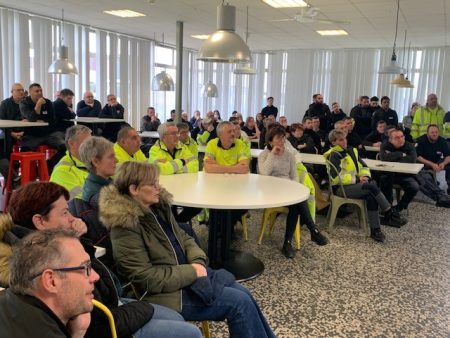
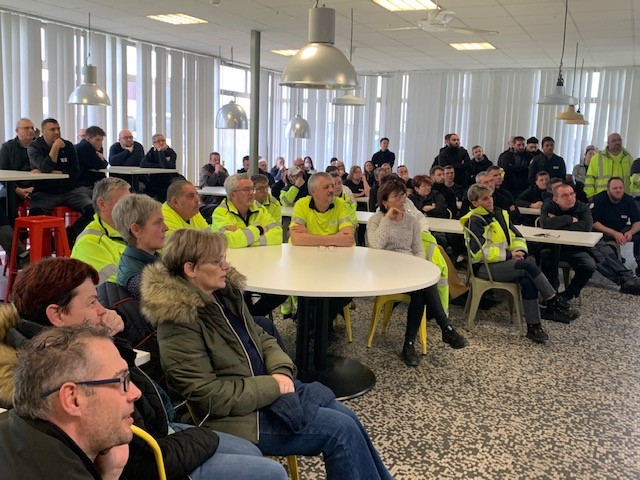
The Wall 3 years, 2 months agoToday is the day of the wishes of the management where the staff was invited to taste the “galette des rois”.
A great 15-minute film was edited by our collaborator Guillaume Lawson, and shown to all staff.
This film related all the great moments of 2022 in the various fields such as: Research and Development, Production, Quality, Health, Safety and Environment, Methods, Logistics, Purchasing, Human Resources, Technical Services, IT, Colart Creative International, Colart France.
Happy New Year everyone !
Aujourd’hui c’est la journée des vœux de la direction où le personnel a été invité à déguster la « galette des rois ».
Un super film de 15 minutes a été monté par notre collaborateur Guillaume Lawson, et projeté à l’ensemble du personnel.
Ce film relatait tous les grands moments 2022 dans les différent domaines tels que : Recherche et Développement, Production, Qualité, Hygiène Sécurité Environnement, Méthodes, Logistique, Achats, Ressources Humaines, Services Techniques, Informatique, Colart Creative International, Colart France.
Bonne année à tous !
-
Nice initiative! Are you aiming to share that video?…
-
Here is the link https://cdn.jwplayer.com/videos/VNV1gPOc-gHKvwpyy.mp4
…
-
-

I agree, great initiative and would love to see the film..so sorry to miss the delicious galette des rois!…
-
-
Jimmy Leslie posted an update in the group
The Wall 3 years, 2 months agoToday I\’ll be doing a 1 hour virtual staff training session for the Blick stores on Artists\’ Oil Colours, specifically focusing on drying oils. If this is a subject you find confusing please do join and I\’ll break it down in simple terms. Information and link below.
Topic: Blick Staff Training on Artists\’ Oil Colours
Time: Feb 1, 2023 01:00 PM Eastern Time (US and Canada)
Join Zoom Meeting
https://us06web.zoom.us/j/83639840025?pwd=ZFBteFY5cC9wa3dCcDBkcHVIcWZadz09
- Load More





New York winner of the International Art Prize – W&N

Millions of tonnes of clothing, shoes and other textiles end up in landfill every year because very little is sent for recycling .

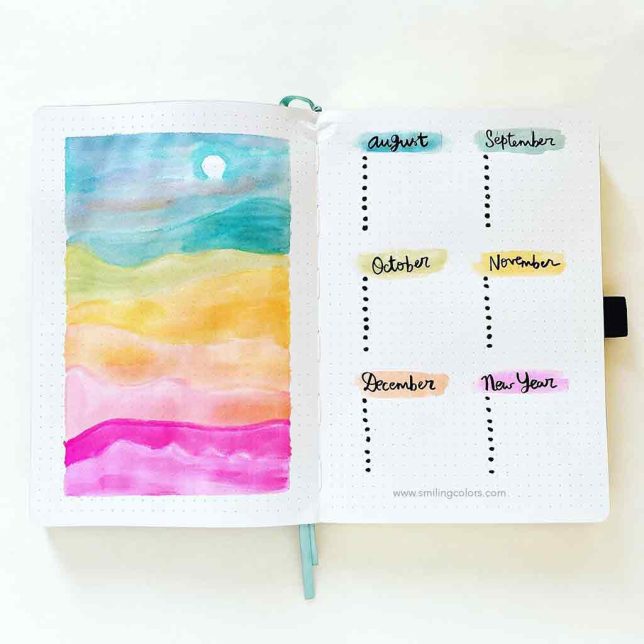
WN Journaling/Mindfulness Campaign
 (6 votes, average: 5.00 out of 5)
 Loading...