


 Download PDF
New Portal on the Intranet
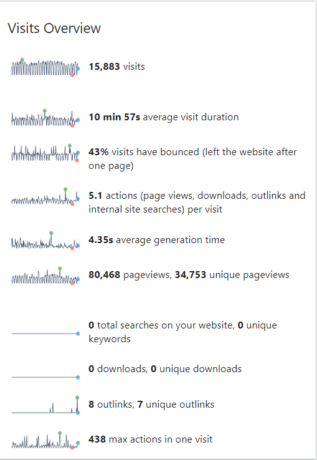
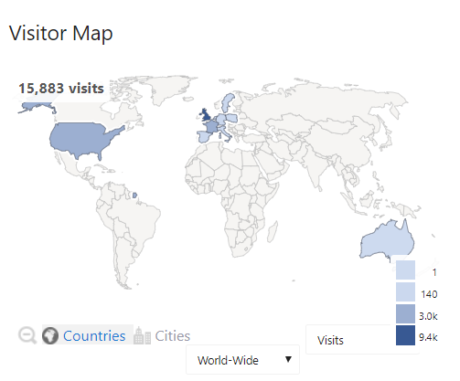
M-Power (MRC) is a application development tool used to extract data from M3. We’ve had this tool available for many years but we would like to re-introduce it to the Business. There is a new Business Analytics portal on the Intranet (under Business) for all available MRC Reports. There are many people globally who use these reports. These are some statistics for current use (last 6 months):
Why MRC?
MRC is a reporting tool that pulls real time data from M3. The results can be filtered based on your requirement. For example you could extract ‘All Item’ data for a particular brand or see the stock levels for your DC.
There are two types of extraction:
- Reports
- Retrievals.
For more information on the differences and tips on using these, please see the Guide documents by clicking here.
What is on the Portal?
The Reports are broken down into the following departments:
- SIOP (Sales Inventory Operations Planning) : e.g: Firm DO’s, MITBAL (Warehouse data) and Product Standard Costs
- Finance: e.g: Doubtful debts, AP Report, PO Line Report
- Group Sales Operations: e.g: Customer Data, Customer Order lines, Item Data and Stock Availability.
- Master data: e.g. Customer, Item and Supplier Master Data
- Warehouse and Operations: e.g. Stock Control, Packing lists, Outstanding orders
- Manufacturing: e.g. Quantity Manufactured, Plan Stock History
- Procurement: e.g. Supplier Data checks, Supplier statistics.
Each area has multiple reports, a short description of what is on the report, whether it is a report or a retrieval and who the owner is. If you request a change to one of the reports, you will need confirmation from the owner.
How to Use MRC?
MRC only works in Chrome and Internet Explorer, NOT in Edge. It is an internal tool so you need to be connected to the VPN if you are working from home.
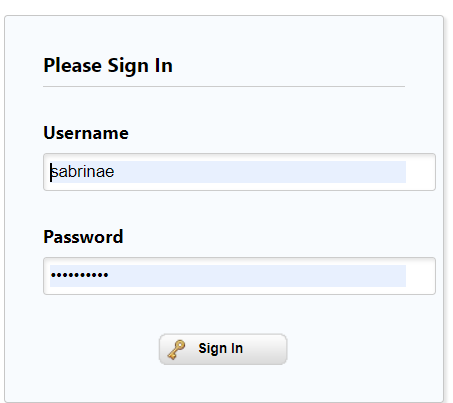
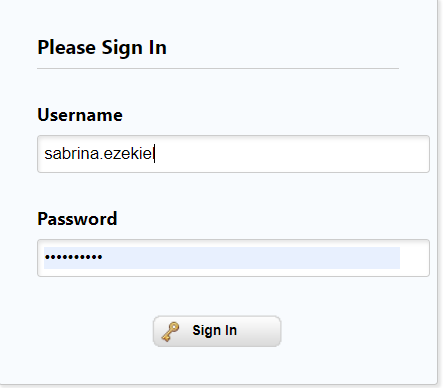
When you click on a report – it will take you to a log in page where you should your windows log in. If your email address has already been changed to the new format, then use your full name, if not use your normal details. Please see the examples below:
Next Steps
If there are reports that you will need to use on a regular basis, you can add them to your M3 Canvas or bookmark them.
Please refer to the Guide documents on the Portal homepage of you need help, or reach out to the team via Jira.
Contacts on MRC Reports
