


 Download PDF
As part of the recent communication regarding the IT Business Continuity Management initiative it is important that everybody understands the reason why we are doing this and why it is so important for us to communicate to the business any major outages that may occur.
As an outage will likely impact services and business processes, we understood that is extremely important to send notification alerts from the beginning to the end of an incident. This ensures all affected stakeholders are informed and can plan around (if needed).
What is the Mission Control Squad?
A dedicated team will be formed to deal with the specific issues at hand. This team will comprise of an Incident Manager and engineers specific to the issue (i.e. a network issue will be handled by the infrastructure team). The incident manager will be the main point of contact during the incident who will liaise between the business and the technical teams. Key stakeholders may or may not be asked to participate from a business perspective (i.e. carry out any validation tests and fixes) during the incident.
Where will these alerts come from?
The email communication will be sent from the MissionControlSquad@ColArt.com email address as below:
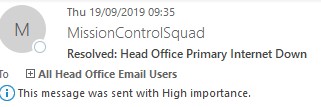
Figure 1: Example of Mission Control Squad as email sender
Service Outage Alerts
In order to provide visibility, communication will be sent regularly during the incident in the below format:
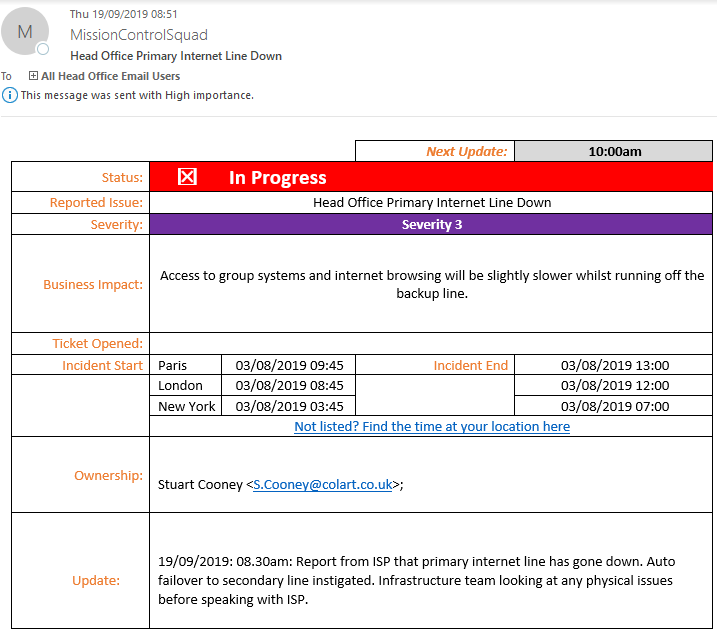
Glossary of Outage Report:
Next Update: Usually an hourly basis but will be dependent on the nature and severity of the issue.
Status:
- In Progress: The issue is currently being worked on.
- Resolved: Business processes/systems are back to normal. The incident is resolved, and no further action is needed.
- Hold – Internal: The incident is still ongoing, but a level of service has been resumed for business to carry on.
- Hold – External: The incident is still ongoing, but a level of service has been resumed in order for business to carry on whilst the 3rd party works on the problem.
Severity:
- Severity 1: Major outage, severely affecting business processes.
- Severity 2: Extremely important, medium impact on the business.
- Severity 3: Extremely important, low impact to the business.
Business Impact: Describes what impact the issue has on normal business processes.
Ticket Opened: All incidents will be logged within the service desk system. This will ensure all incidents are recorded and managed appropriately.
Incident Start and End: This will show the incident start to end timeline in region specific time zones.
Ownership: This will show the incident manager responsible.
Current Status: This will provide the latest information on the incident, including any developments, fixes, etc.
Outage Bridge: In certain incidents an outage bridge (or live conference) will be set up to ensure that all stakeholders can communicate easily.
Contacts
